Blog · 3 November 2026
5S Software Without the Noise: No E-mails, No Extras
Most plants that buy 5S software are trying to save time. The audit should be faster, the findings should reach the right person, and the manager should stop chasing.
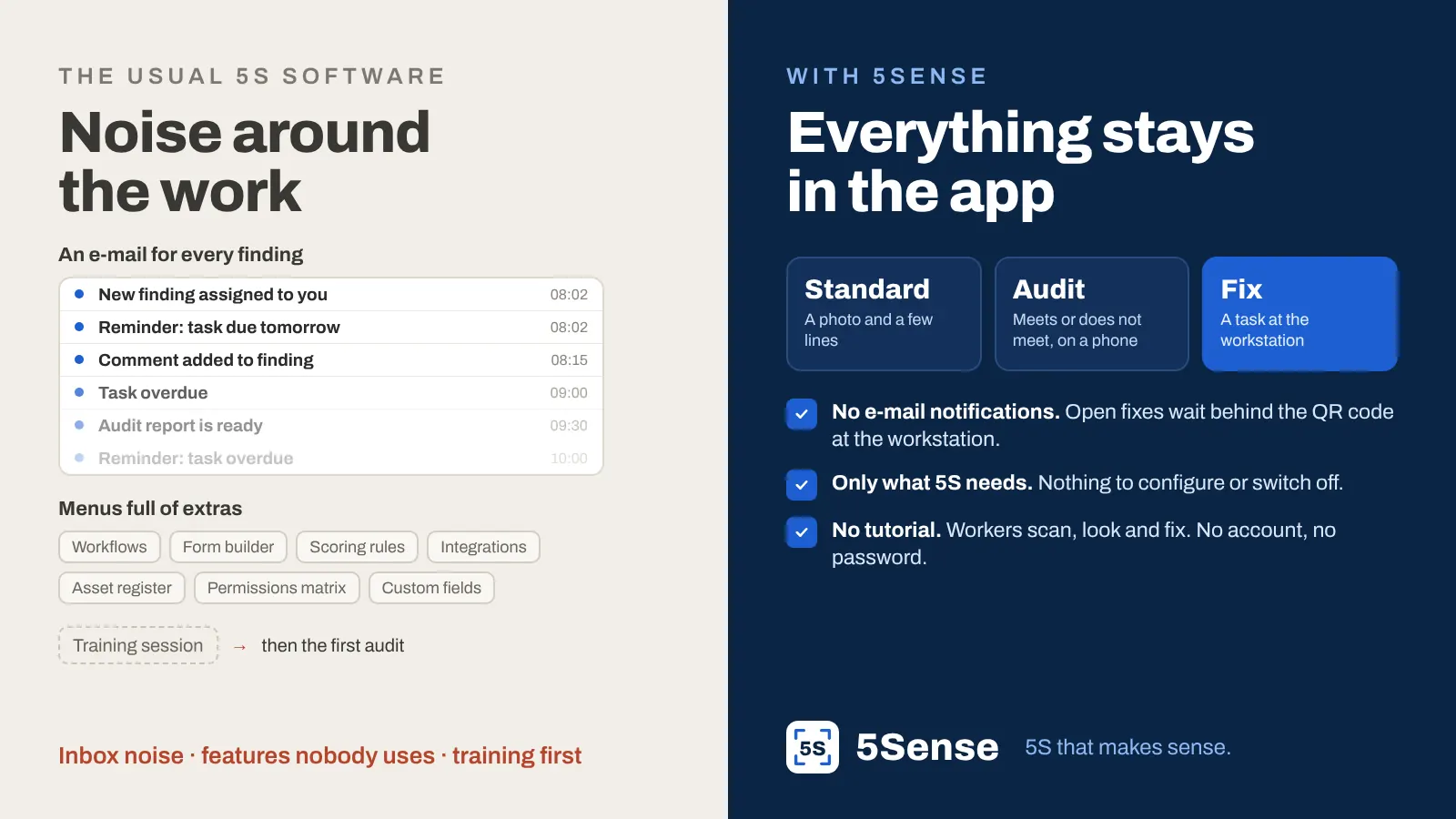
Then the software arrives with its own overhead. An e-mail for every finding, every reminder and every comment. Menus full of features nobody on the shop floor asked for. A training session before anyone can do the first audit.
The goal was less work around 5S. The result is a new kind of work: managing the tool.
The inbox is not the shop floor
A common way for audit software to “send” a finding is e-mail. It sounds sensible until you look at where those e-mails go.
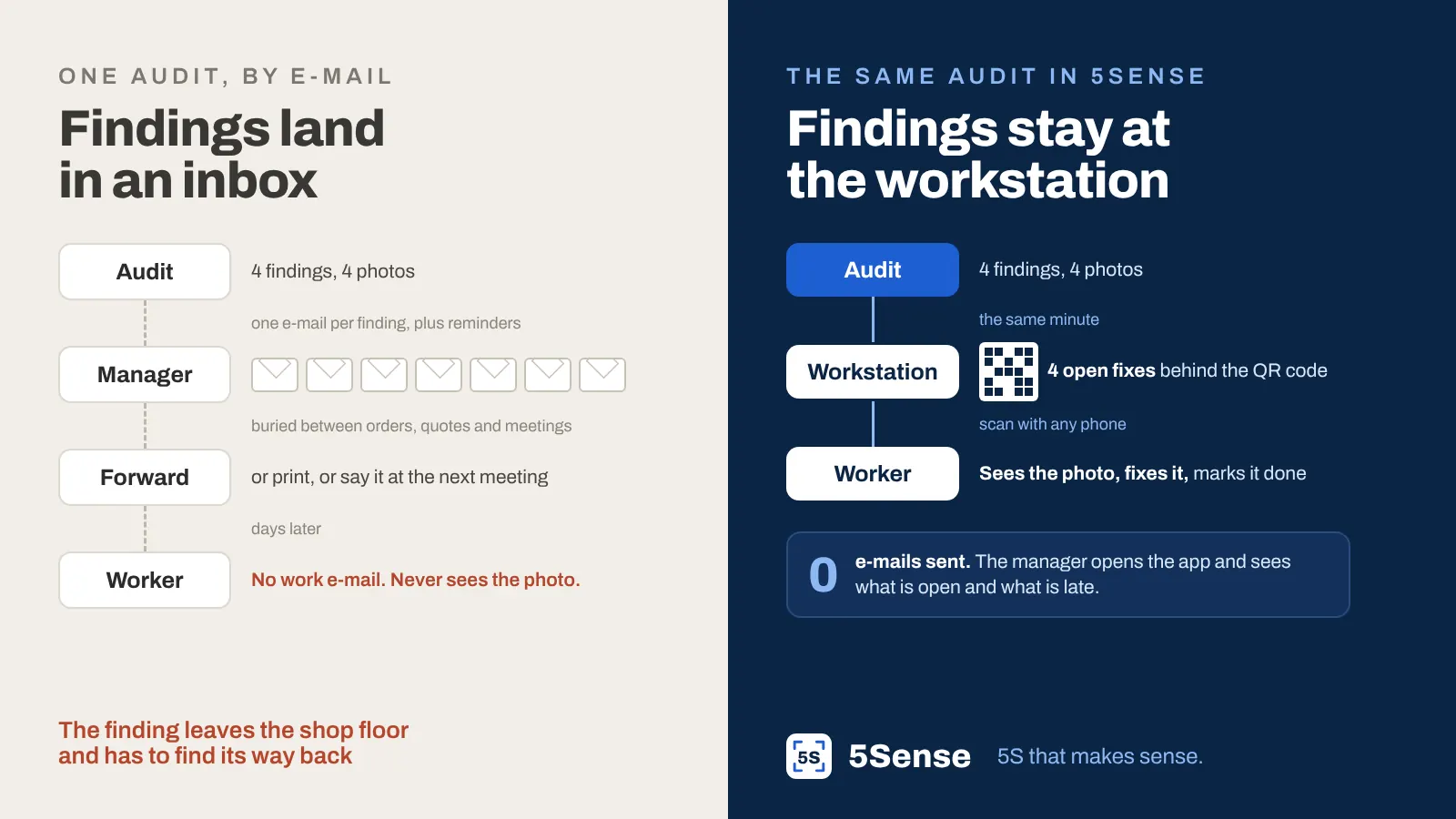
- The manager’s inbox fills up. Each finding is a message. Each due date is a reminder. Each overdue task is another one. They land between orders, quotes and meeting invites, and after a few weeks they get filtered, skimmed or ignored. That’s not a discipline problem. It’s spam, even when it’s about your own plant.
- The worker often has no work e-mail at all. The person who actually keeps the workstation in order may never see the message. So the manager forwards it, prints it or mentions it at the next meeting, and the finding is back to being relayed by hand.
- The photo gets lost on the way. By the time the message reaches the workstation, it’s “tidy up your area”, not “the grinder is missing from its place”.
An e-mail takes the finding away from the shop floor and makes it find its own way back. That’s the opposite of what 5S needs.
Everything stays in the app
5Sense sends no e-mail notifications. None for findings, none for reminders, none for overdue tasks. That is a deliberate choice, not a missing feature.
Instead, the information stays where the work happens:
- The finding becomes a task at the workstation the moment the audit is saved, with the checklist item and the photo.
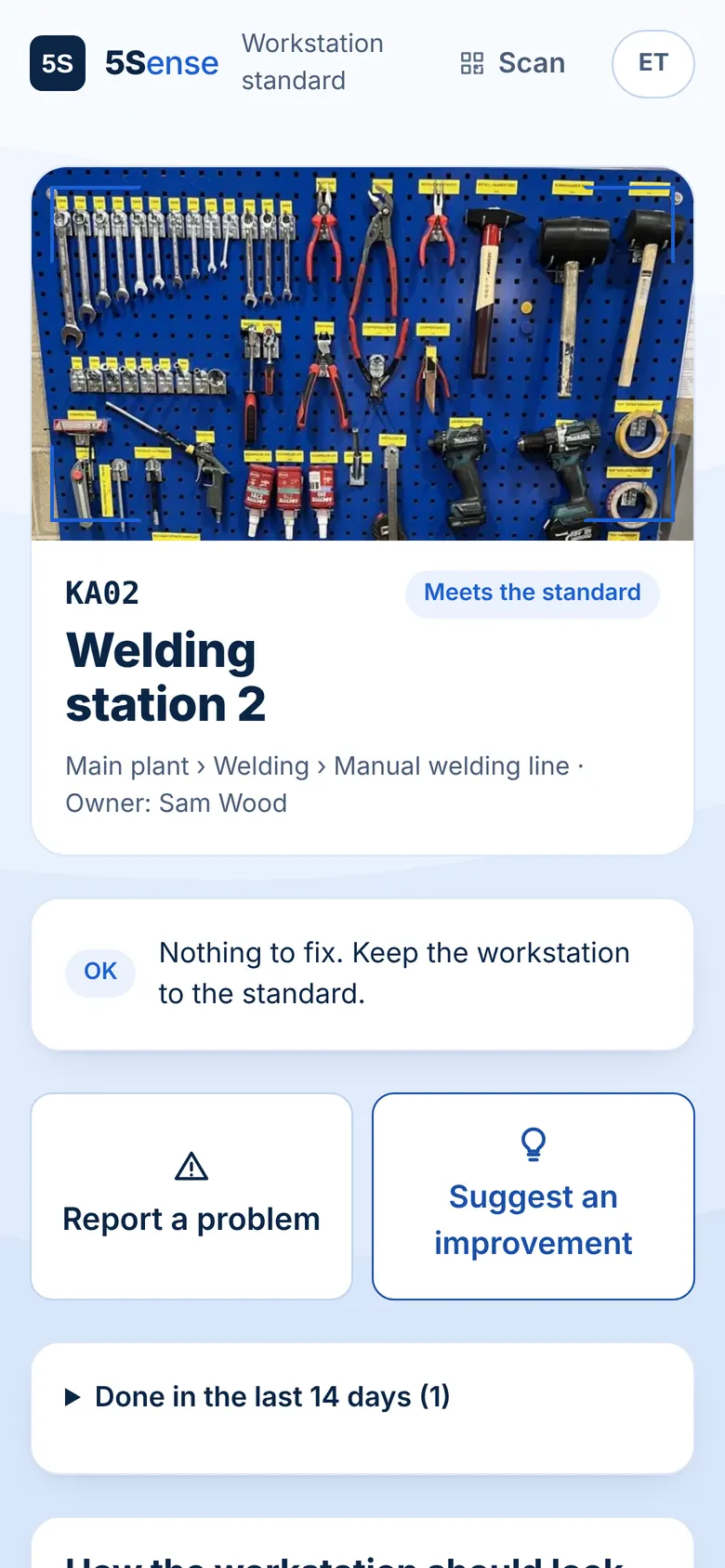
- The worker scans the QR code on the workstation with any phone. They see the standard and the open fixes, with no account and no password. When it’s fixed, they mark it done.
- The manager opens the app and sees the status. What is open, what is late and which problems keep coming back, for their own area. No inbox to dig through.
The only e-mails 5Sense sends are the ones a person asks for: confirming a new account and resetting a password.
Every extra feature has a cost
Software for audits tends to grow. Workflow designers, form builders, scoring rules, asset registers, custom fields. Each one makes sense in a sales demo. On the shop floor, each one is another menu to learn, another setting to get wrong and another reason the person who set it all up is the only one who understands it.
5S doesn’t need most of that. It needs three things:
- A standard. One photo of the workstation in order and a few short lines. It takes about a minute, and changing it later takes about a minute too.
- An audit. Go through the workstation item by item on a phone: meets or does not meet, with a photo of anything that’s off.
- A fix. Each finding goes to the workstation as a task, and the manager sees which ones are stalling.
That’s what 5Sense is built around. Structure for plants, departments and lines, ready-made 5S audit templates and trends for managers are there to support those three things, not to replace them. If a feature doesn’t help a standard, an audit or a fix, we leave it out.
No tutorial needed
The test we use for every screen: could someone use it on their first day without being shown how?
- Workers see one workstation: how it should look, what needs fixing, and two buttons to report a problem or suggest an improvement. Nothing else to learn.
- Auditors open a link, type the audit PIN and their name, and start answering. No account to create.
- The person setting it up maps the company, takes the photos and prints the QR labels. One person can do it in an afternoon and start auditing the same day.
If a 5S tool needs a training day, it will need another one every time someone new joins, and 5S will depend on whoever remembers how it works. Simple isn’t a nice-to-have here. It’s what lets 5S survive a busy month. More on that in why 5S keeps falling apart.
A quick check for your current 5S tool
Look at the last week and ask:
- How many 5S e-mails did you get, and how many did you actually act on?
- Did the person at the workstation see the finding and its photo, or did someone have to pass it on?
- Could a new team leader run an audit tomorrow without being shown how?
If the answers are “a lot”, “someone passed it on” and “no”, the tool is adding work instead of removing it.
5Sense: 5S that makes sense. Try the demo with a sample plant and see how little there is to learn.
Written by the 5Sense team, people who have run production on the shop floor. About us