Blog · 22 October 2026
5S on Paper vs a Live Workstation Standard
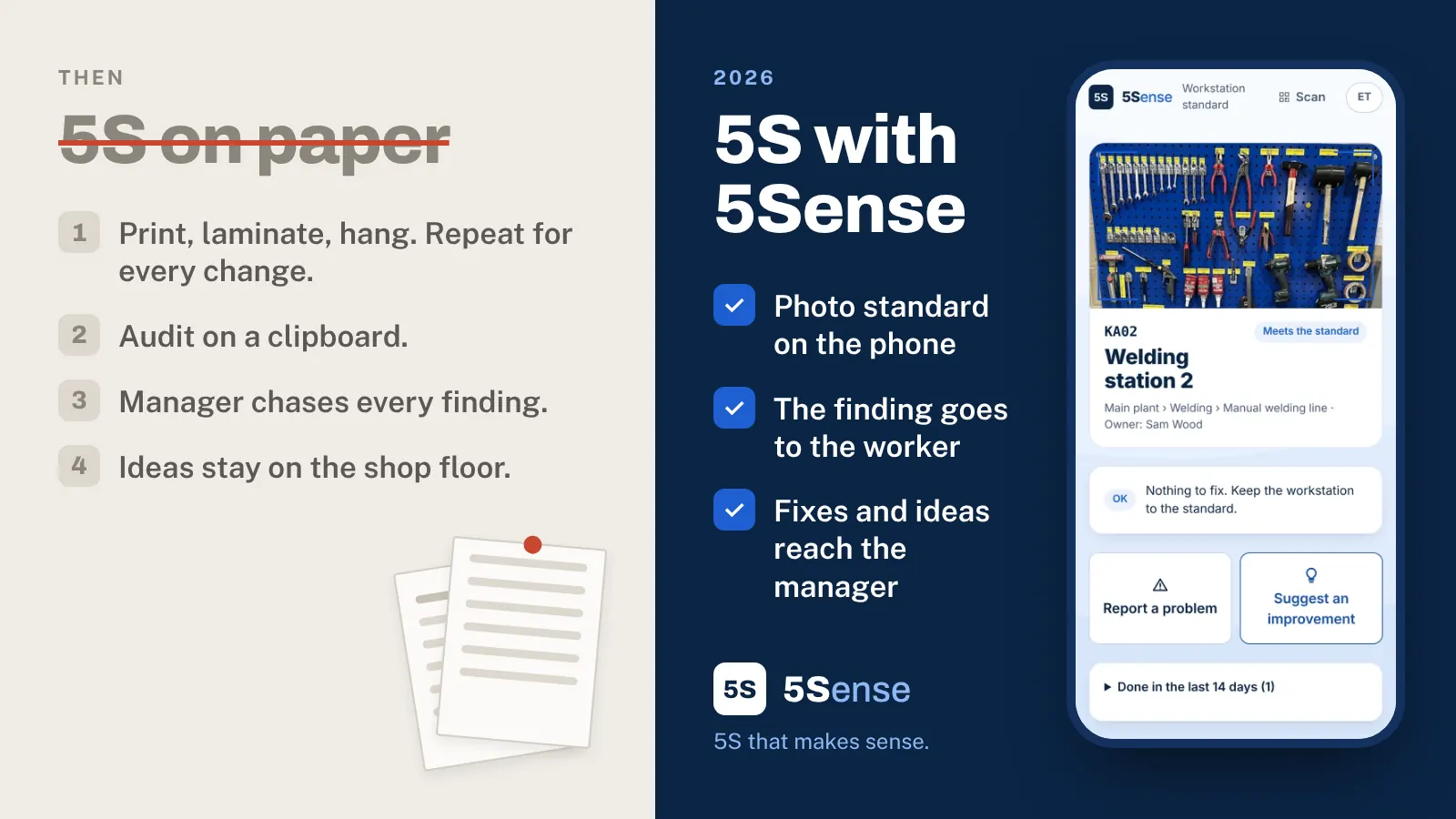
After a 5S launch, workplace organization on the shop floor looks great. Tools are on the board, the floor is clear, the standard hangs at every workstation. A few weeks later a rush order comes in, the focus moves somewhere else, and the order slowly slips back.
That is not because people are lazy. In most factories 5S fails because every fix depends on a manager’s spare time. And the way 5S is usually run, on paper, puts almost everything on the manager.
How 5S runs on paper
You probably know the routine:
- The standard is printed, laminated and hung at the workstation. Every change means doing that again.
- The audit is done on a clipboard, then typed into a spreadsheet.
- The findings go to the manager, who decides who fixes what and passes it down through the team leader.
- The ideas from the people at the workstation have nowhere to go, except a word in the corridor.
Each step needs someone to carry the information to the next person. When that someone is busy, the chain stops.
Why paper standards stop working
Workstations change all the time: a new fixture, a different tool, a moved bench. A printed standard can’t keep up. The first time the sheet no longer matches the station, people learn to ignore it. After that they ignore the updated ones too.
The same thing happens with findings. A finding that takes a week to reach the person who can fix it is a finding that gets fixed just before the next audit, if at all.
What a live standard looks like
A live standard is the same idea as the paper one, with the printing taken out:
- One photo of the workstation in order, taken from where the worker stands.
- A few short lines for what the photo can’t show.
- Updated in a minute. When someone finds a better way to arrange the station, a new photo replaces the old one. The standard at the workstation is always the current best practice, not last year’s.
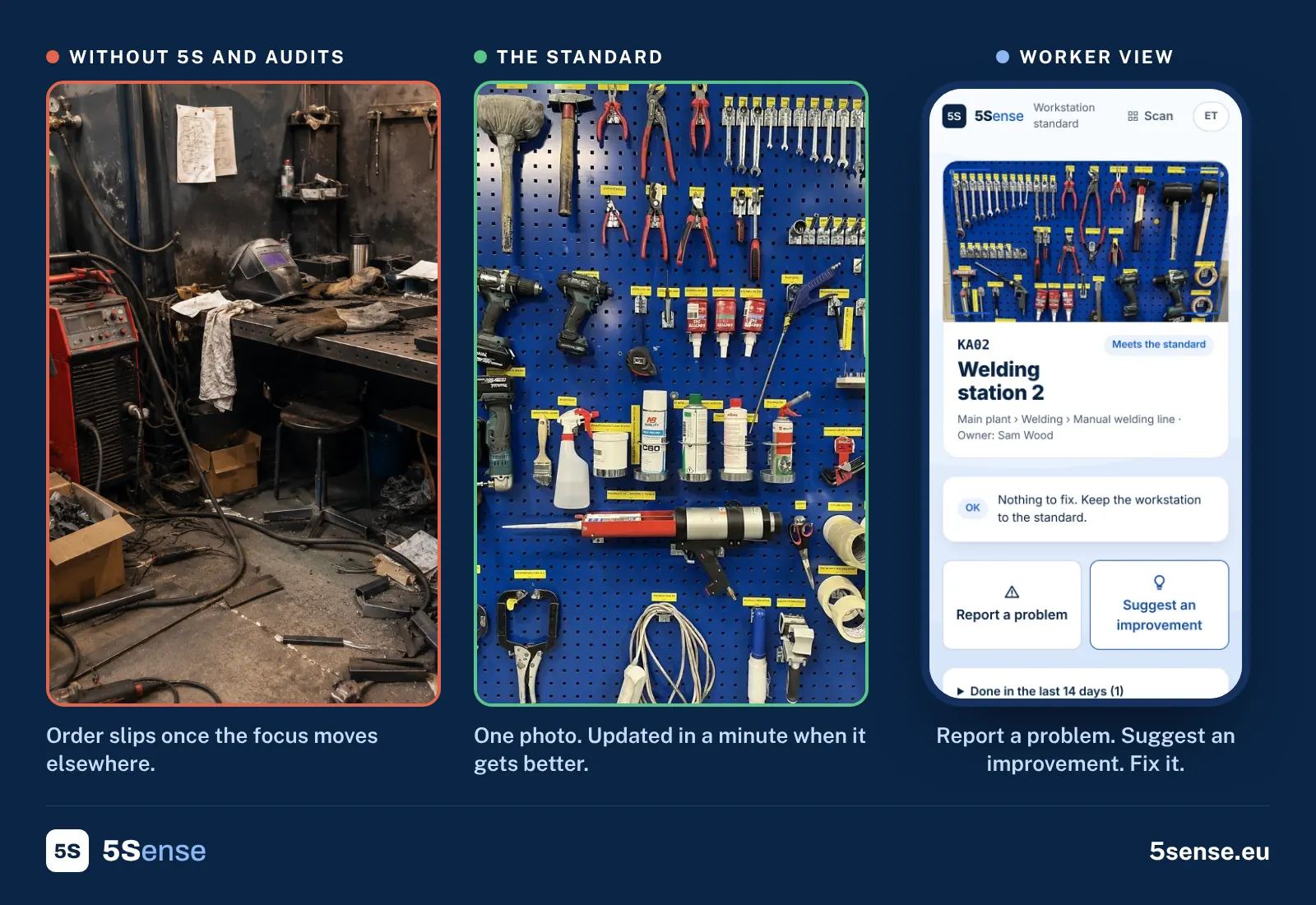
The worker sees the standard, not a report
The biggest change is who the information goes to. The worker scans the QR code at the workstation and sees the standard on the phone, no account or password needed. From the same screen they can:
- Fix the findings from the last audit, with a photo when it’s done.
- Report a problem, such as a broken holder or a missing tool, right where it happens.
- Suggest an improvement to the workstation. If it works, the manager updates the standard in a minute.
Nobody has to walk the finding down from the office, and a good idea doesn’t depend on catching the manager in the corridor.
The manager sees the status
The manager’s job changes from carrying information to checking it. Instead of reading audit sheets, the manager sees what is open, what is late and which problems keep coming back. Ideas from the shop floor arrive in one place, to accept or reject with a reason. The manager steps in only where something stalls.
How to start
You don’t need software to start, and you don’t need to do the whole factory:
- Pick one area and do a red tag event to sort it.
- Set it in order, then take one photo and write 3–5 short lines. The workstation standard template helps.
- Audit it in a week with the 5S audit checklist, and see how fast the findings actually get fixed.
If the findings stall on the way to the workstation, that’s the part to change. You can see how it works in 5Sense in the demo, with a sample plant and no sign-up.
Written by the 5Sense team, people who have run production on the shop floor. About us